TurboSDK
Build native PC Engine / TurboGrafx-16 games with your own coding assistant.
TG-16 Homebrew AI Bootstrap gives you a working project, readable source, and automated tests before you write your first line of game code.
Download the kit, open it in your preferred coding agent, and start making changes together. You can also use it without an assistant: the source, documentation, build scripts, and tests work independently.
Try the demos
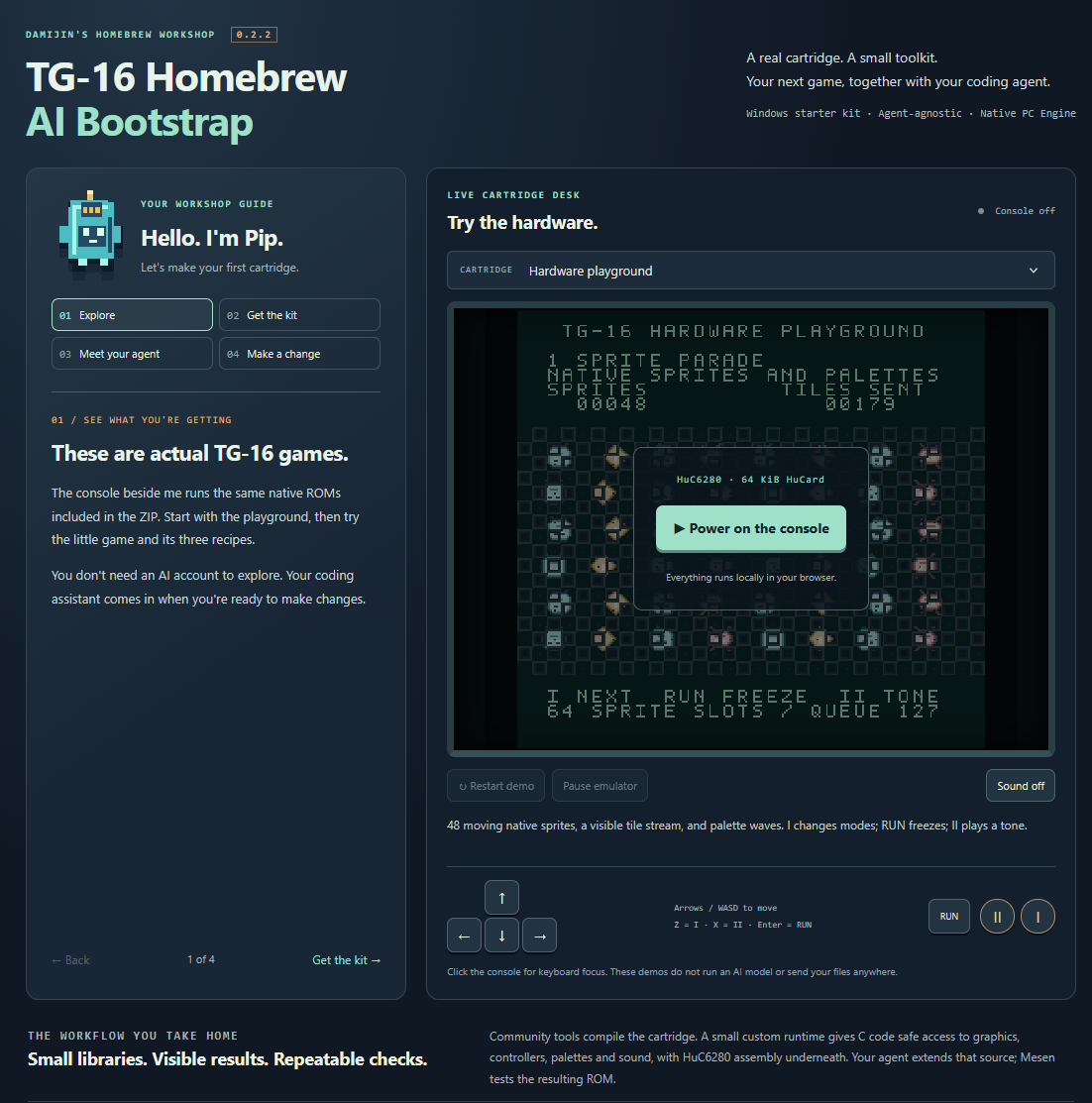
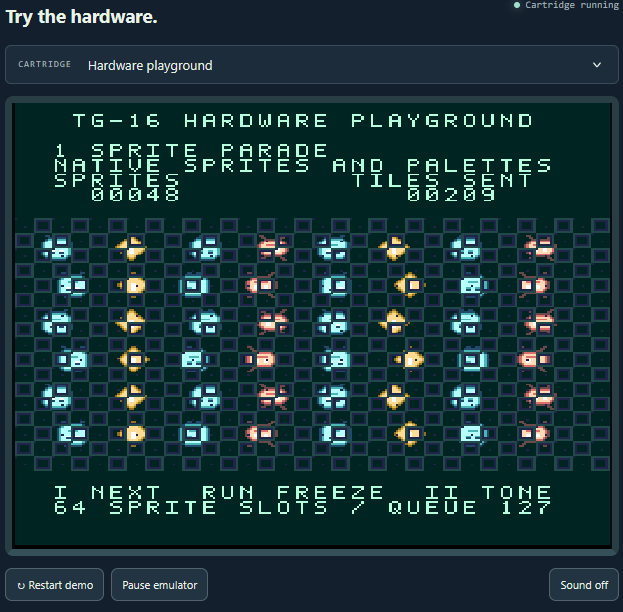
Meet Pip, your little cartridge guide! The browser applet above explains how to download the kit and hand it to your assistant, while a live emulator runs the same native ROMs included in the download.
- Hardware Playground: explore moving sprites, visible tile streaming, and palette waves.
- Spark Collector: play a tiny example game you can understand and extend.
- Three recipe cartridges: see character animation, a moving hazard with collision, and button-triggered sound.
The gameplay, graphics, and sound run inside the TG-16 cartridges. The browser provides the guide, controls, and emulator.
What's in the kit?
- Complete C and HuC6280 assembly source, including a small custom hardware runtime.
- Six native .pce ROMs: the playground, Spark Collector, three recipe variants, and a separate automated video stress fixture.
- Three worked extension recipes, with explanations and tests.
- Assistant handoff instructions and a starter prompt that travel with your project.
- Editable sprites, tiles, font, and palettes, plus tools to convert them into native graphics.
- Build and setup scripts, a bundled cc65 compiler archive, and a pinned Mesen setup.
- Automated Mesen tests that supply controller input, inspect the running ROM, and produce reports and screenshots.
- Architecture, memory, and hardware documentation to help you and your assistant extend the foundation.
Start with your own coding agent
- Download the Windows developer kit and extract the entire ZIP.
- Open the extracted folder in your coding agent, or give it access using your tool's normal workflow.
- Give it the prompt in FIRST_PROMPT.txt. This asks it to read the guides, build the unchanged project, and run the tests before editing.
- Choose one small change. Animate the explorer, modify the hazard, change the artwork, or build on the sound recipe.
- Build, test, and play the result. Keep the feedback loop small while you learn the project together.
You can also run the initial setup yourself from PowerShell:
./setup.ps1

./build.ps1 -Test

./play.ps1
An assistant with file and terminal access can run these commands directly. With a chat-only model, you can run them yourself and share the results.
No particular AI provider or agent stack is required. Explicitly ask your assistant to read START_HERE.md and AGENTS.md, even if its tool doesn't automatically recognize those files.
The custom C/assembly runtime
The kit combines the established cc65 compiler, assembler, and linker with a small custom C-facing hardware runtime implemented in C and HuC6280 assembly.
That runtime handles the groundwork:
- Hardware startup and frame timing
- Controller input
- Sprite uploads and queued tile updates
- Palette effects
- Simple native sound effects
Game code gets a compact interface for common tasks, while the assembly handles timing-sensitive hardware work during VBlank. You and your assistant can build on documented behavior and existing tests as you add features.
The runtime is intentionally small and supplied as editable source. This kit grew out of the development workflow behind Shmoop, distilled into an independent starting point with its own example game and artwork. Shmoop's full engine and game content are separate.
Requirements
- Developer kit: Windows x64 with Windows PowerShell 5.1 or PowerShell 7.
- Setup: tools stay inside the project folder. The compiler archive is included; Mesen is downloaded from its official release. An offline archive option is documented.
- Browser demos: try the included cartridges without installing the development tools.
The kit itself requires no Codex installation, Python, Node, account, or paid service. Your choice of coding assistant is yours.
Release status and license
Version 0.2.3 Includes the new-game registration guide, automatic test-suite discovery, per-cartridge memory reports, and generated verification counts.
The kit's original code, documentation, font, and sample artwork use the BSD 3-Clause license. Third-party tools and the browser emulator retain their own licenses and notices, included with the package.
Start with a working cartridge. Make one small change. Build, test, and play it.
Download
Click download now to get access to the following files:
Development log
- v0.2.31 day ago
- RELEASE CANDIDATE1 day ago